




★★★★★
I tested the "Automatic Translations for Polylang" plugin for a project. The plugin is well-built and does exactly what it promises. You can try their plugins with absolute confidence!
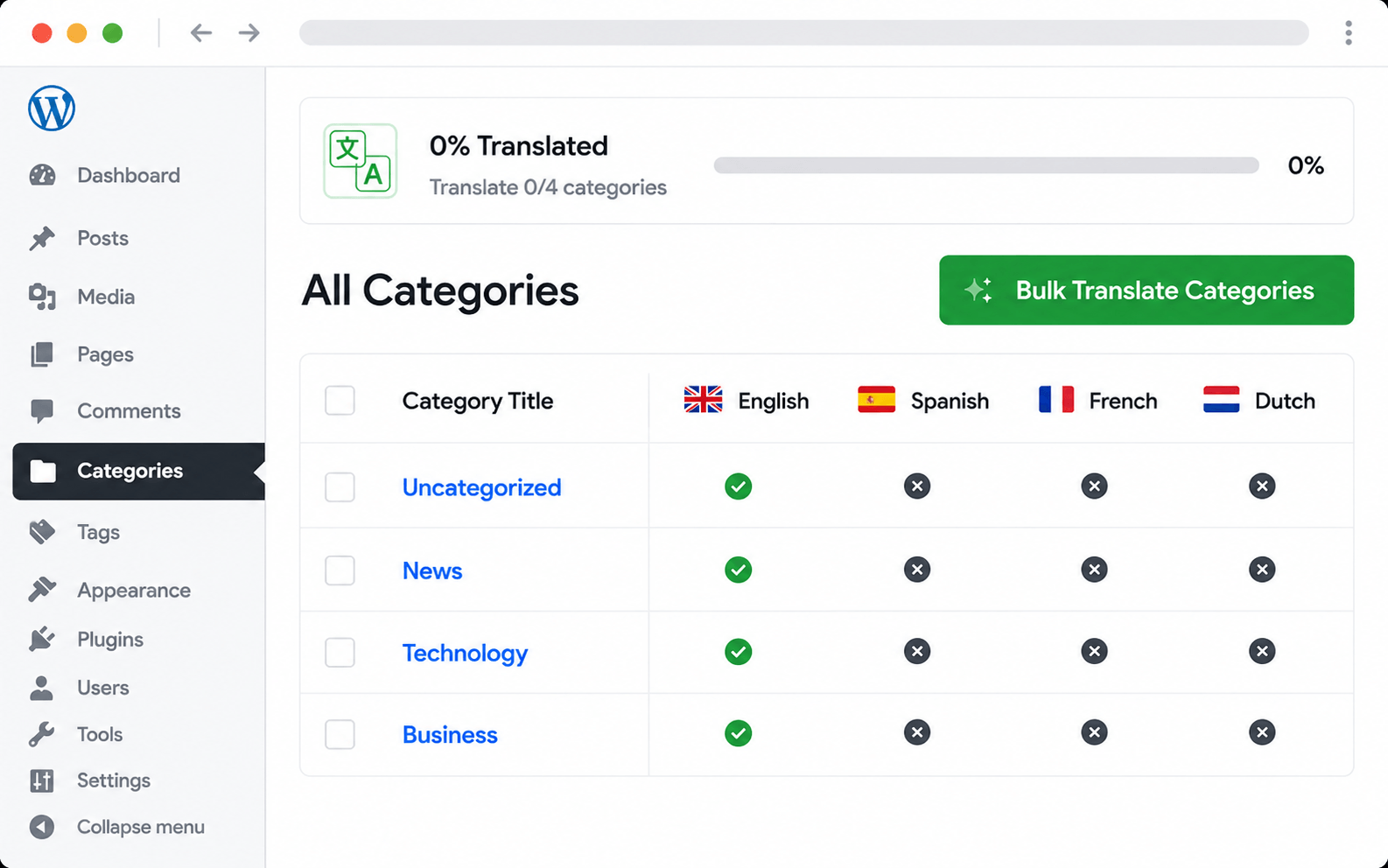
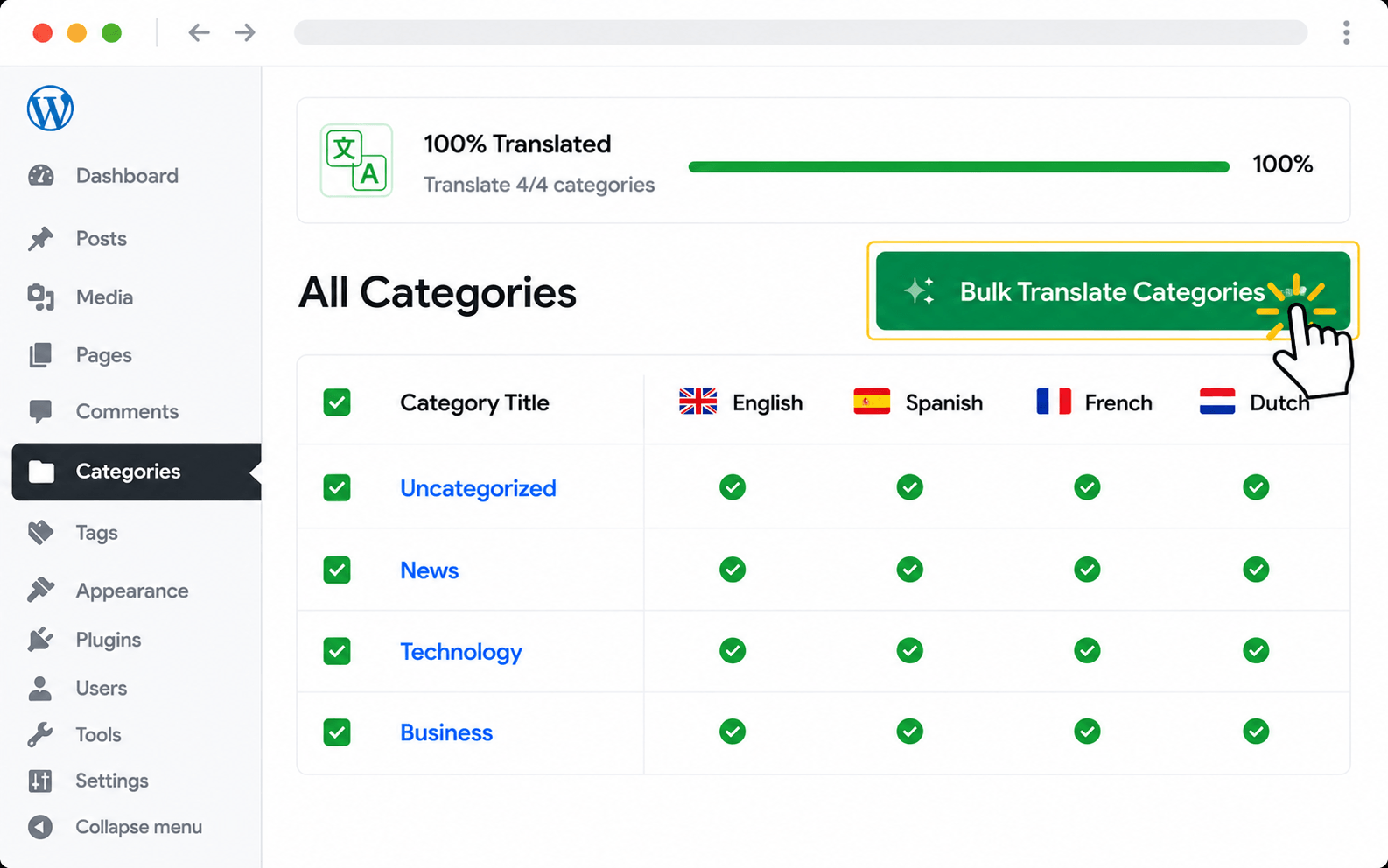
Translate every Polylang category, tag, and custom taxonomy in one batch with AutoPoly. Term names, archive descriptions, SEO-friendly slugs, and parent-child hierarchy all carry over so each language has a proper archive structure — no orphans, no broken breadcrumbs.
Categories, tags, and custom taxonomies drive every archive page, breadcrumb, and SEO URL on a Polylang site — but they're typically last to get translated. AutoPoly translates every term in one batch: names, archive descriptions, SEO-friendly slugs, and parent-child relationships all carry across to each target language.
Translates every taxonomy field — including SEO-friendly slugs generated per language.
Standard cats and tags plus WooCommerce, EDD, and any plugin-registered taxonomy.
Parent-child relationships mirror across languages — no orphaned archive pages.
Already-translated terms are skipped — only new or changed entries get re-translated.
From install to translated site — usually under 10 minutes.
Categories, tags, custom taxonomies — every term name, description, and slug translates in one batch.
Term names and the archive descriptions shown on category and tag pages — both translated per language.
Per-language slugs are generated automatically — your archive URLs stay search-optimised.
Standard cats and tags plus WooCommerce, EDD, and any plugin-registered taxonomy.
Parent-child relationships mirror across languages — no orphaned terms, no broken archive trees.
Already-translated terms are skipped — only new or changed entries get re-translated.
Pick OpenAI, Gemini, Claude, DeepL — or free options like Google Translate and Chrome AI.
Product categories, attributes, brands, and shipping classes all translate alongside standard cats and tags.
Pick AutoPoly's taxonomy translator from the menu, choose a target language, click run — done in seconds.
Translated terms feed cleanly into breadcrumb plugins like Yoast Breadcrumbs and RankMath Breadcrumbs.
Translate every type of Polylang content with AutoPoly — pick the next feature to set up.
Real reviews from real users using AutoPoly with AI translation providers.
I tested the "Automatic Translations for Polylang" plugin for a project. The plugin is well-built and does exactly what it promises. You can try their plugins with absolute confidence!
I had an issue with some configurations during setup, but the support team helped resolve it immediately.

This plugin is doing a better job for me with translation than other AI plugins I tried before on my website. I just plug it with Gemini Pro and I've paid less than $1 for massive translates on my website with the 2.5 Flash model.

Yes — AutoPoly generates clean, lowercase, hyphenated slugs in the target language. So an English "Web Development" category becomes "desarrollo-web" in Spanish — proper SEO structure preserved.
Hierarchies are mirrored in each language. If your English "Marketing" category has a "SEO" child, the Spanish "Marketing" will have a "SEO" child in the same structural position.
Yes — standard categories, tags, and any custom taxonomy registered by themes or plugins (WooCommerce product categories, Easy Digital Downloads, custom post type taxonomies) are all translatable.
No — already-translated terms are skipped on re-runs. Only new or changed taxonomy entries get translated. You can also force a full re-translation from the bulk panel if needed.
Archive pages for translated categories work automatically. Visiting /es/categoria/desarrollo-web/ shows the Spanish category archive with the Spanish term name and description.
Yes — the bulk panel lets you choose what to translate: term names only, descriptions only, or all of the above. Useful when slugs are already manually set.