


I purchased the plugin and needed support to reduce limitations. The team was very supportive in implementing updates within a couple of weeks to achieve exactly what I needed. Thank you :)
AI String Translation
for WPML
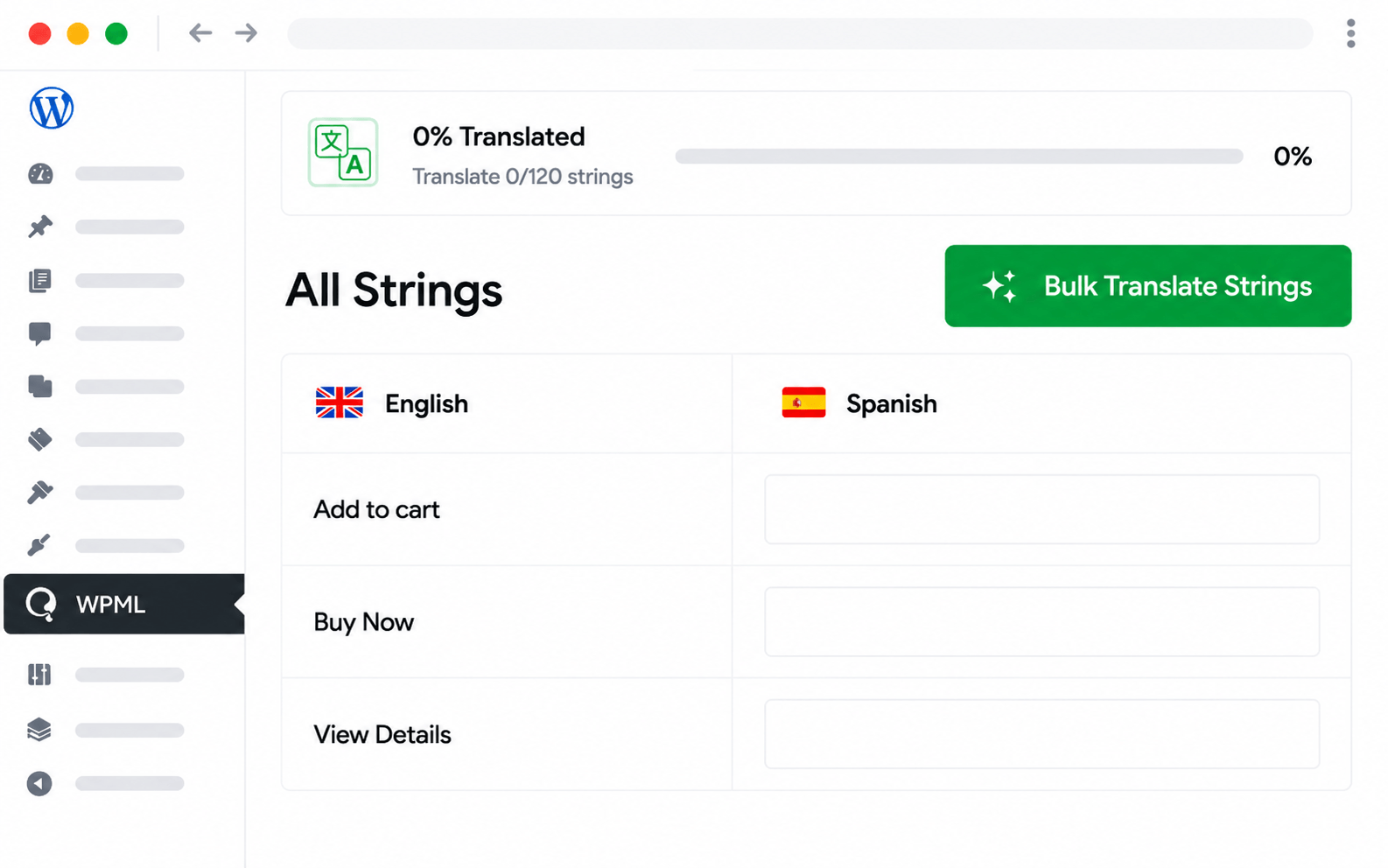
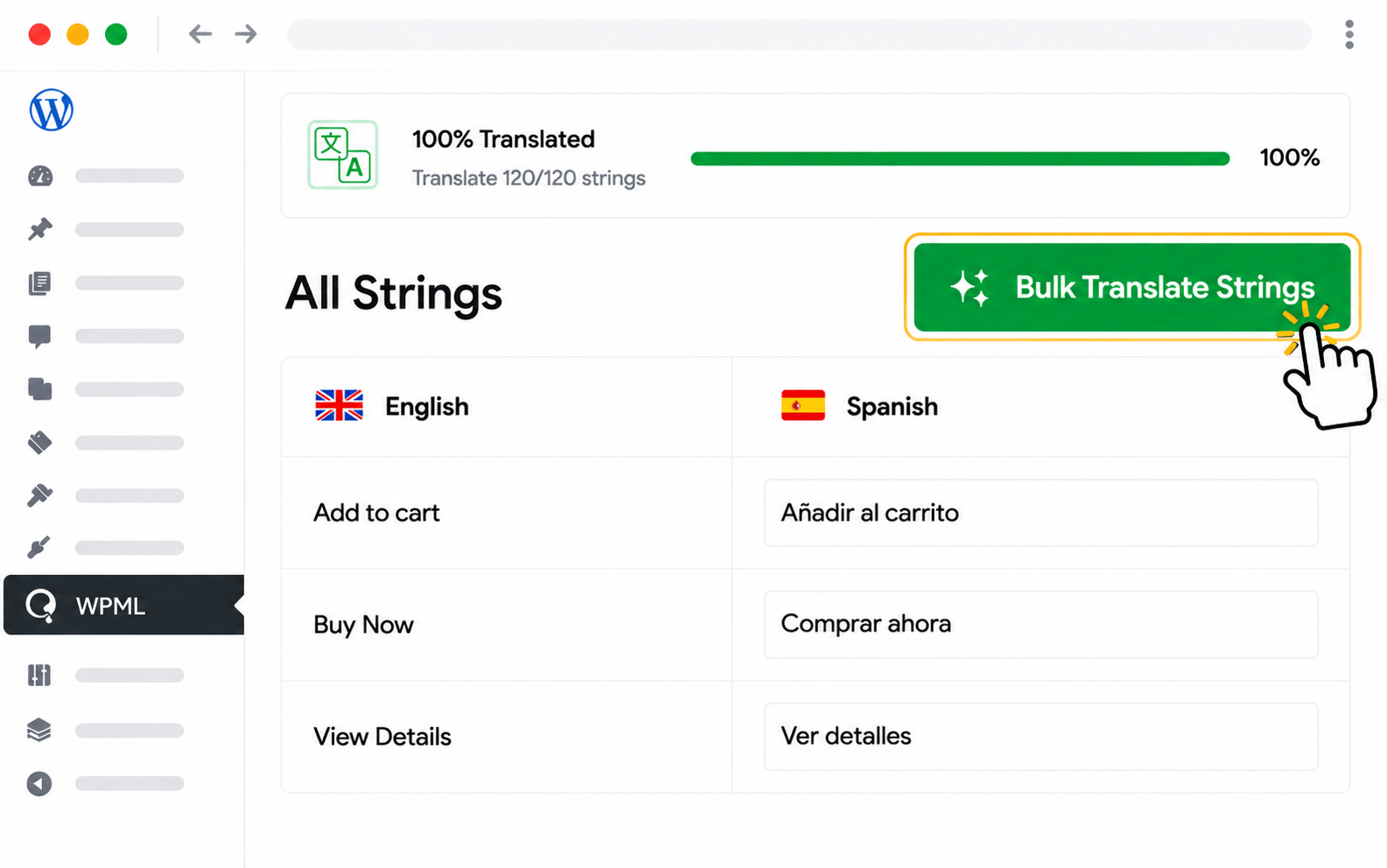
Auto-translate every WPML String Translation entry in bulk with AutoMLP. Theme labels, plugin strings, WooCommerce text, custom email templates — every registered string is batch-submitted to your chosen AI provider and written back to WPML automatically.
Stop translating WPML strings one box at a time
WPML String Translation is powerful but tedious — theme labels, plugin strings, custom email templates, and dynamic notices all have to be translated by hand inside the WPML interface. AutoMLP automates the whole workflow: every registered string is batched to your AI provider and written straight back to WPML.
Theme strings, plugin strings, WooCommerce labels, custom email templates — anything registered with WPML.
Hundreds of strings translate per run — much faster than translating each one inside the WPML interface.
Re-runs only translate strings without a target-language entry — fast incremental updates.
Switch providers per run — OpenAI for marketing strings, Google for high-volume technical strings.
Set up AI String Translation for WPML in 4 steps
From install to translated site — usually under 10 minutes.
String Translation coverage in AutoMLP
Every registered string in WPML — theme labels, plugin strings, emails — translated in bulk.
All registered strings
Theme strings, plugin strings, WooCommerce labels, and any string registered with WPML String Translation.
Email templates
Custom email templates and dynamic notice strings all translate alongside theme and plugin labels.
WooCommerce strings
Cart, checkout, and product label strings translate as part of the same bulk run.
Hundreds per run
Translate 500+ strings in a single batch — far faster than translating one at a time in WPML.
Skip already-translated
Re-runs only translate strings without a target-language entry — fast incremental updates.
Per-batch provider
Switch providers per run — OpenAI for marketing strings, Google for high-volume technical strings.
Plugin & theme labels
Strings registered by themes and plugins translate alongside core WordPress and WooCommerce labels.
Setup in 2 minutes
Open AutoMLP's String Translation panel, pick a target language, click run — every registered string queues automatically.
WPML-compatible output
Translations flow back to WPML as standard String Translation entries — fully compatible with all WPML tools.
Do more with AutoMLP in WPML
Translate every type of WPML content with AutoMLP — pick the next feature to set up.
What developers say about AutoMLP
Real reviews from real users using AutoMLP with AI translation providers.
I am very pleased with the service I got. I needed a feature and within 24 hours through a few emails back and forth, my problem was solved.
AutoMLP translated our WPML website surprisingly fast using Gemini AI. The bulk translation feature saved hours of manual work and drastically reduced overall translation expenses.
Every string registered with WPML String Translation: theme labels, plugin strings, custom email templates, WooCommerce checkout text, dynamic notices, and any string a theme or plugin has registered. AutoMLP reads them from WPML's registry and translates them in batches.
No — AutoMLP works with any string already registered with WPML. Most modern themes and plugins register their strings automatically. For custom strings, register them via the standard WPML registration flow first.
No — already-translated strings are skipped on re-runs. Only strings without a target-language entry get translated. You can force a re-translation if you've changed the source string.
Yes — WooCommerce checkout strings, order email text, product attribute labels, and shipping/payment method names are all registered with WPML and translatable via AutoMLP.
All providers AutoMLP supports — OpenAI, Gemini, Claude, DeepL, plus free options like Google Translate and Chrome AI. You can switch the active provider per batch run from the bulk panel.
Depends on string count. A typical small site (200–500 registered strings) translates in 2–5 minutes. Large WooCommerce sites with thousands of strings may take 15–30 minutes per language.